Client crashes, loading screen stuck or errors during startup?1. Make sure that your client is downloaded from here:
http://forum.fonline-reloaded.net/index.php?topic=1.02. Make sure that your computer is up to date with
Windows Update or
Microsoft Update!
3. Make sure you have installed DirectX and latest graphics driver for Windows.
DirectX ->
http://www.microsoft.com/en-us/download/details.aspx?id=35Nvidia ->
http://www.nvidia.com/Download/index.aspx?lang=en-usATI/AMD ->
http://support.amd.com/en-us/downloadIntel ->
https://downloadcenter.intel.com/default.aspx4. Run
Updater.exe to get latest files.
5. Delete all files from
cache folder and
fonline.log from main folder, then restart client.
6. Open
FOnline.cfg with text editor and make sure that your client connect to right server:
RemoteHost= 91.121.18.168
RemotePort= 2238
ORRemoteHost= play.fonline-reloaded.net
RemotePort= 2238
7. Right click on the
FOnline.exe, select "
Run as administrator"
8. Use
FOnlineGL.exe, if your client crash during encounters with 3D critters.
Connection problems?1. Test your network connection with Speedtest:
http://www.speedtest.net/2. Check server status:
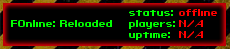
3. Reboot your modem and/or router, and try connect to server.
4. Make sure that your firewall is not blocking the client!
How to contact GM (Game Master) ingame?1. Type this text to ingame chat and press enter:
+requesthelp I have problem
 Topic: Client Troubleshooting. (Read 4305 times)